How to turn TikTok stickers into iMessage stickers
Send TikTok stickers to @StickerGrab. Then collect them in StickerGrab and add the pack to Messages on your iPhone or iPad.

Turn TikTok stickers into an iMessage pack
- 1
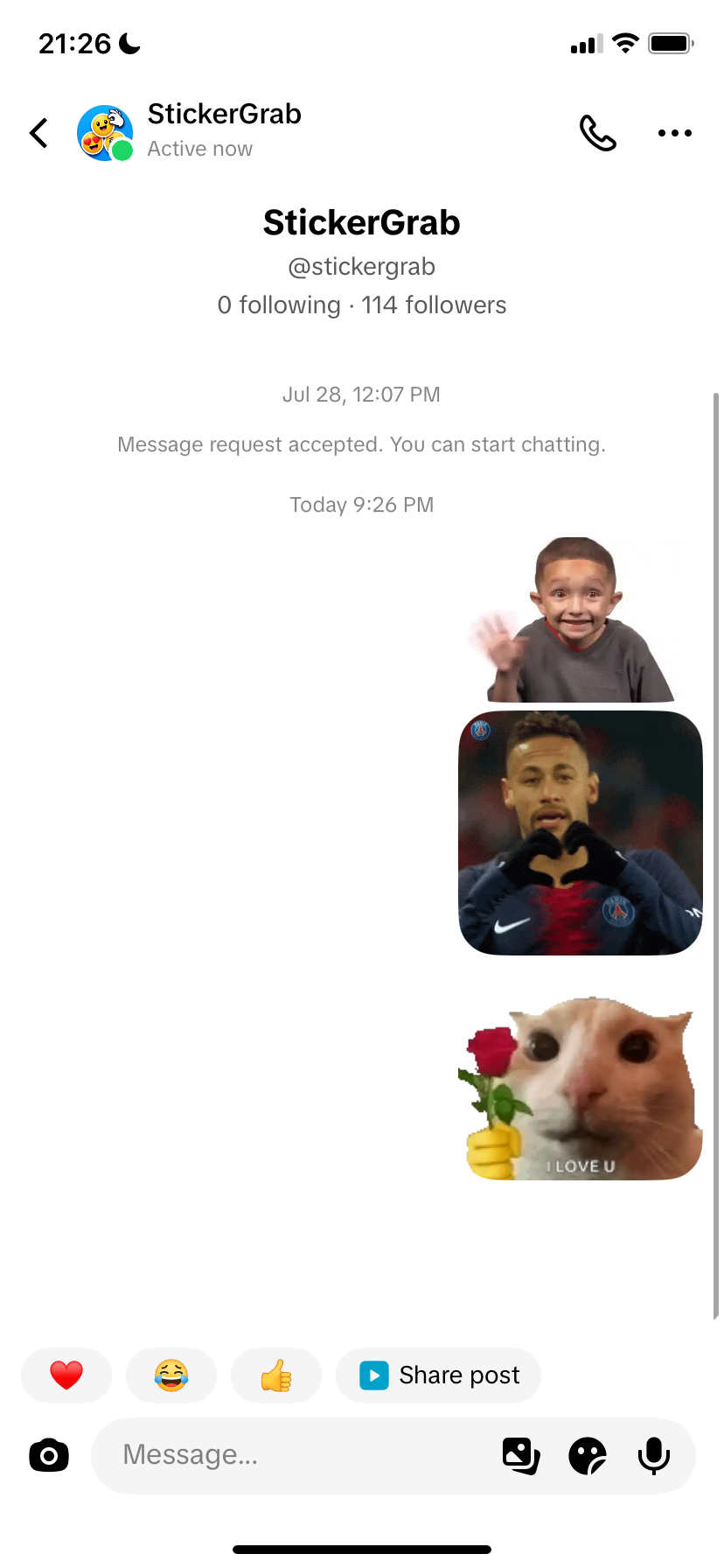
Send the stickers to @StickerGrab
Open the StickerGrab TikTok profile. Send each sticker that you want in a direct message.
TikTok can allow only one sticker until @StickerGrab accepts your message request. This can take some time. When the request is accepted, send the other stickers.
- 2
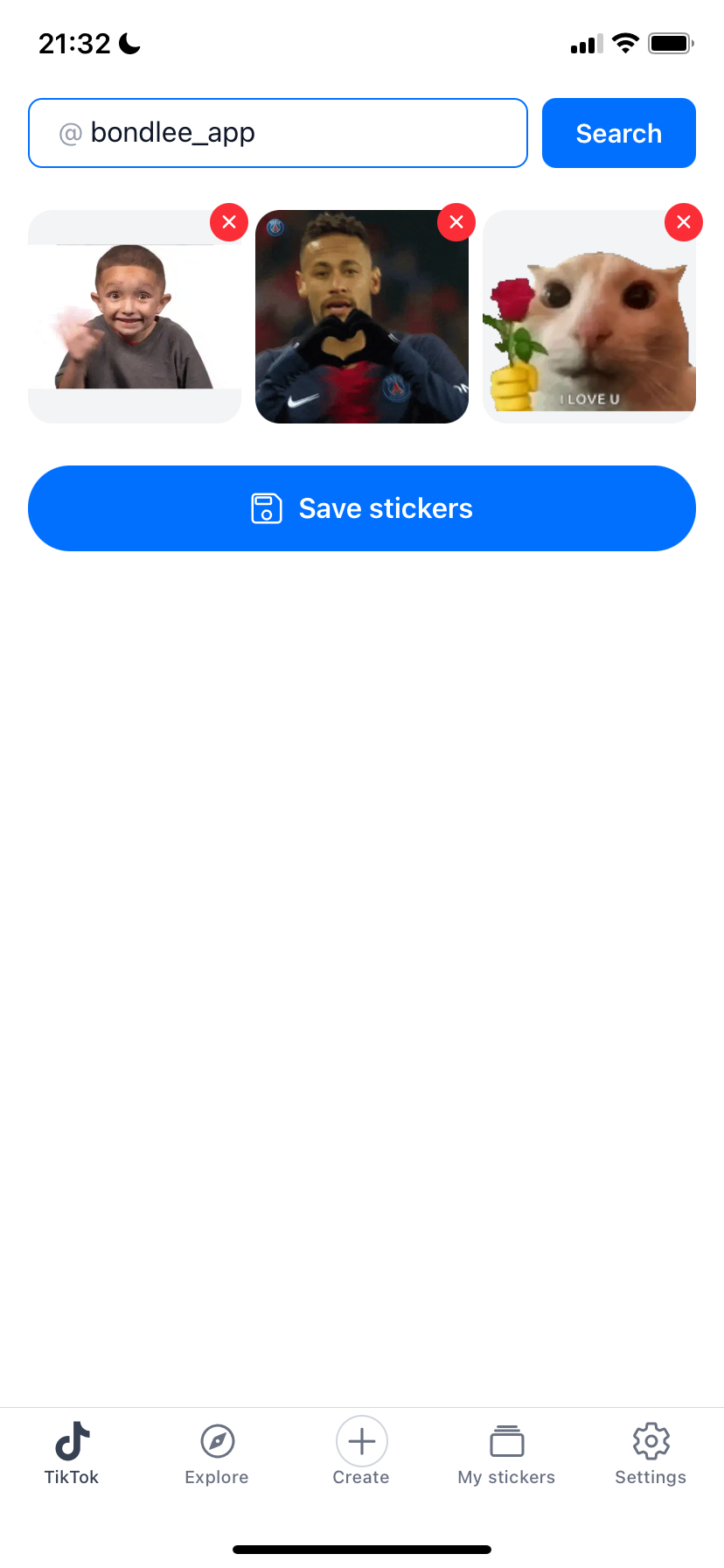
Search your TikTok username
Open the TikTok tab in the StickerGrab app. Enter the TikTok username that sent the stickers.


- 3
Check and save the stickers
StickerGrab can need a few minutes to collect the stickers. Remove stickers that you do not want in the pack.
Select “Save stickers.” StickerGrab adds the new pack to “My stickers.”
- 4
Add the pack to Messages
Open the saved pack in “My stickers.” Select “Export,” then select “Add to Messages.”
StickerGrab prepares each sticker for Messages. Animated stickers stay animated. When the stickers are ready, Messages opens.
- 5
Send the stickers in Messages
Open a conversation. Select the + button next to the text field, then select StickerGrab. If you do not see StickerGrab, select “More.”
Your packs show as tabs at the top. Select a sticker to send it. You can also touch and hold a sticker, then drag it onto a message.
Common problems
StickerGrab found no stickers
Send the stickers to @StickerGrab first. Then search with the username of the same TikTok account.
I cannot find “Add to Messages”
This option is available only on iPhone and iPad. On Android, add the pack to WhatsApp or Telegram.
StickerGrab is not in the + menu
Select “More” in the + menu and find StickerGrab. If it is not there, update StickerGrab to the latest version.
Messages shows no sticker packs
StickerGrab shows “Open StickerGrab and export a sticker pack to use it here.” Go back to StickerGrab and add the pack to Messages again.
Do my friends need StickerGrab?
No. Your friends see the stickers in the conversation. Only you need StickerGrab to send them.
How do I remove a pack from Messages?
Open StickerGrab in Messages and select the pack. Select the delete button and confirm.
Ready to get your TikTok stickers?
Use StickerGrab to collect your stickers and prepare the iMessage pack.