How to turn TikTok stickers into Telegram stickers
Send TikTok stickers to @StickerGrab. Then collect them in StickerGrab and add the pack to Telegram.

Turn TikTok stickers into a Telegram pack
- 1
Send the stickers to @StickerGrab
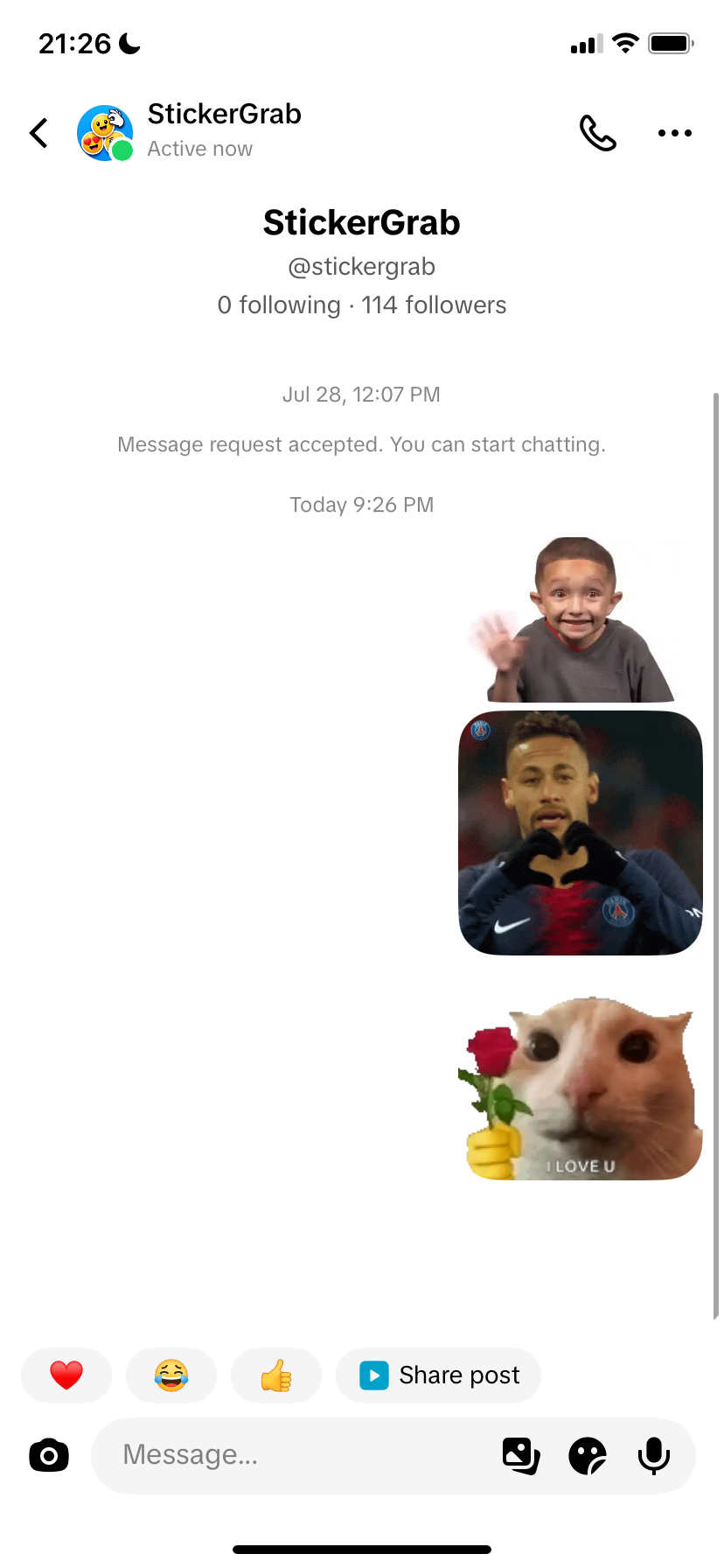
Open the StickerGrab TikTok profile. Send each sticker that you want in a direct message.
TikTok can allow only one sticker until @StickerGrab accepts your message request. This can take some time. When the request is accepted, send the other stickers.
- 2
Search your TikTok username
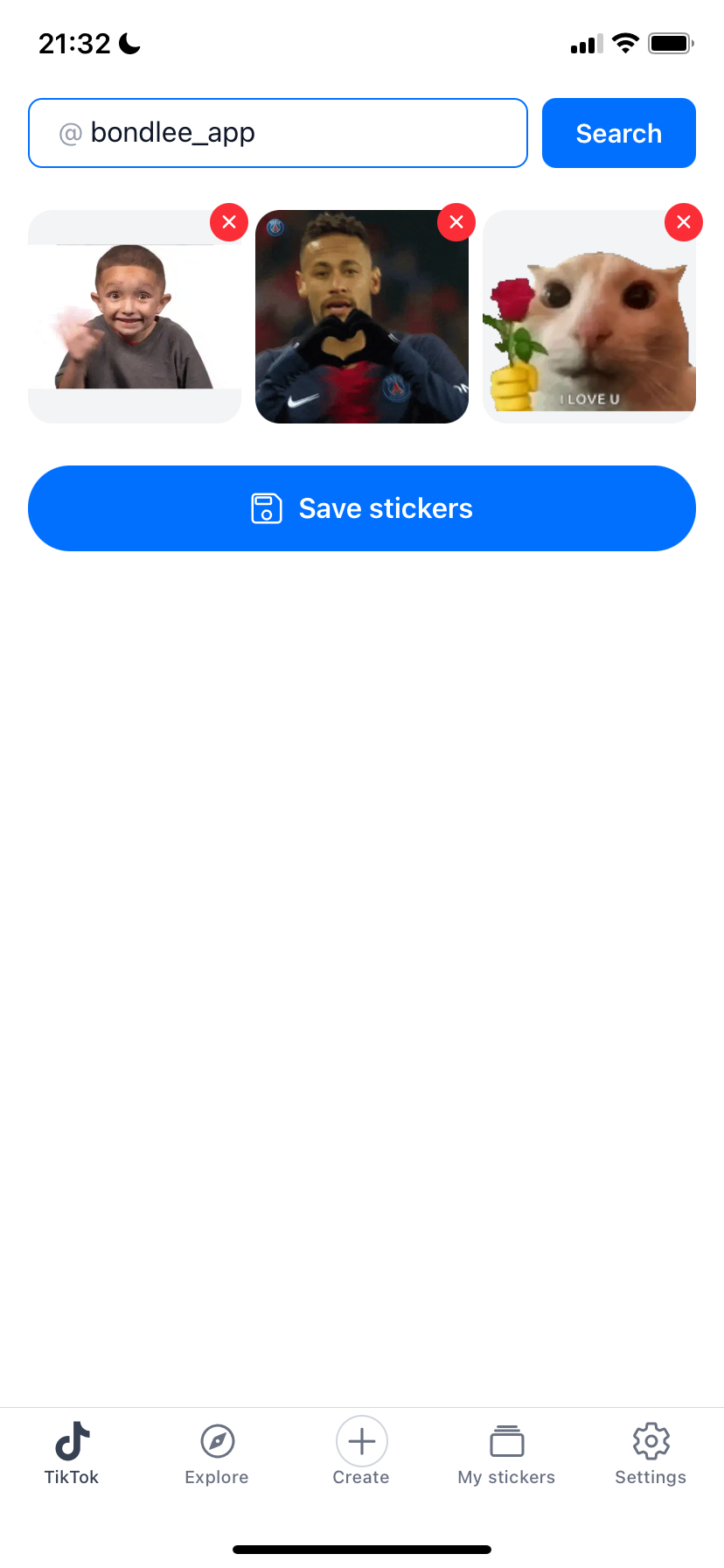
Open the TikTok tab in the StickerGrab app. Enter the TikTok username that sent the stickers.


- 3
Check and save the stickers
StickerGrab can need a few minutes to collect the stickers. Remove stickers that you do not want in the pack.
Select “Save stickers.” StickerGrab adds the new pack to “My stickers.”
- 4
Export the pack to Telegram
Open the saved pack in “My stickers.” Select “Export,” then select “Add to Telegram.”
StickerGrab prepares each sticker for Telegram. Animated stickers need a conversion, so this step can take a few minutes. Keep StickerGrab open until Telegram opens.
- 5
Create the pack in Telegram
On iPhone, and for static packs on Android, Telegram opens its sticker import screen. Follow the steps in Telegram to give the pack a name and create it.
For animated packs on Android, Telegram opens the StickerGrab bot. Select “Start.” The bot creates the pack and sends an “Add stickers” button. Select this button to add the pack.
Common problems
StickerGrab found no stickers
Send the stickers to @StickerGrab first. Then search with the username of the same TikTok account.
StickerGrab says that Telegram is not installed
Install Telegram from the App Store or Google Play and sign in. Then export the pack again.
A sticker is too large for Telegram
Telegram limits the file size of each sticker. Remove this sticker from the pack and export the pack again.
The import link expired
Go back to StickerGrab and export the pack again. Open the new link with the same Telegram account.
Animated stickers play only one time on Android
Open Telegram Settings > Power Saving. Enable Animated Stickers.
Ready to get your TikTok stickers?
Use StickerGrab to collect your stickers and prepare the Telegram pack.