How to turn TikTok stickers into WhatsApp stickers
Send TikTok stickers to @StickerGrab. Then collect them in StickerGrab and add the pack to WhatsApp.

Turn TikTok stickers into a WhatsApp pack
- 1
Send the stickers to @StickerGrab
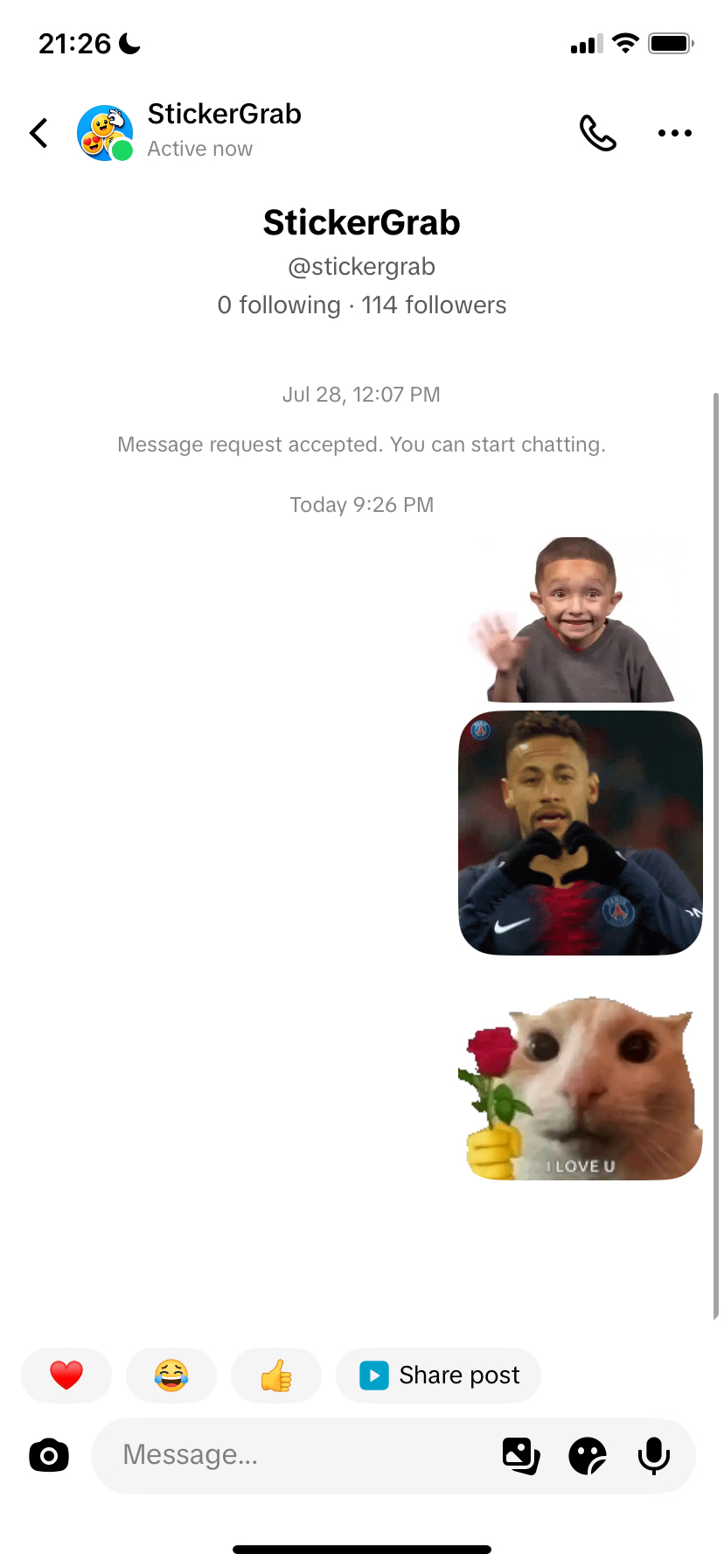
Open the StickerGrab TikTok profile. Send each sticker that you want in a direct message.
- 2
Search your TikTok name
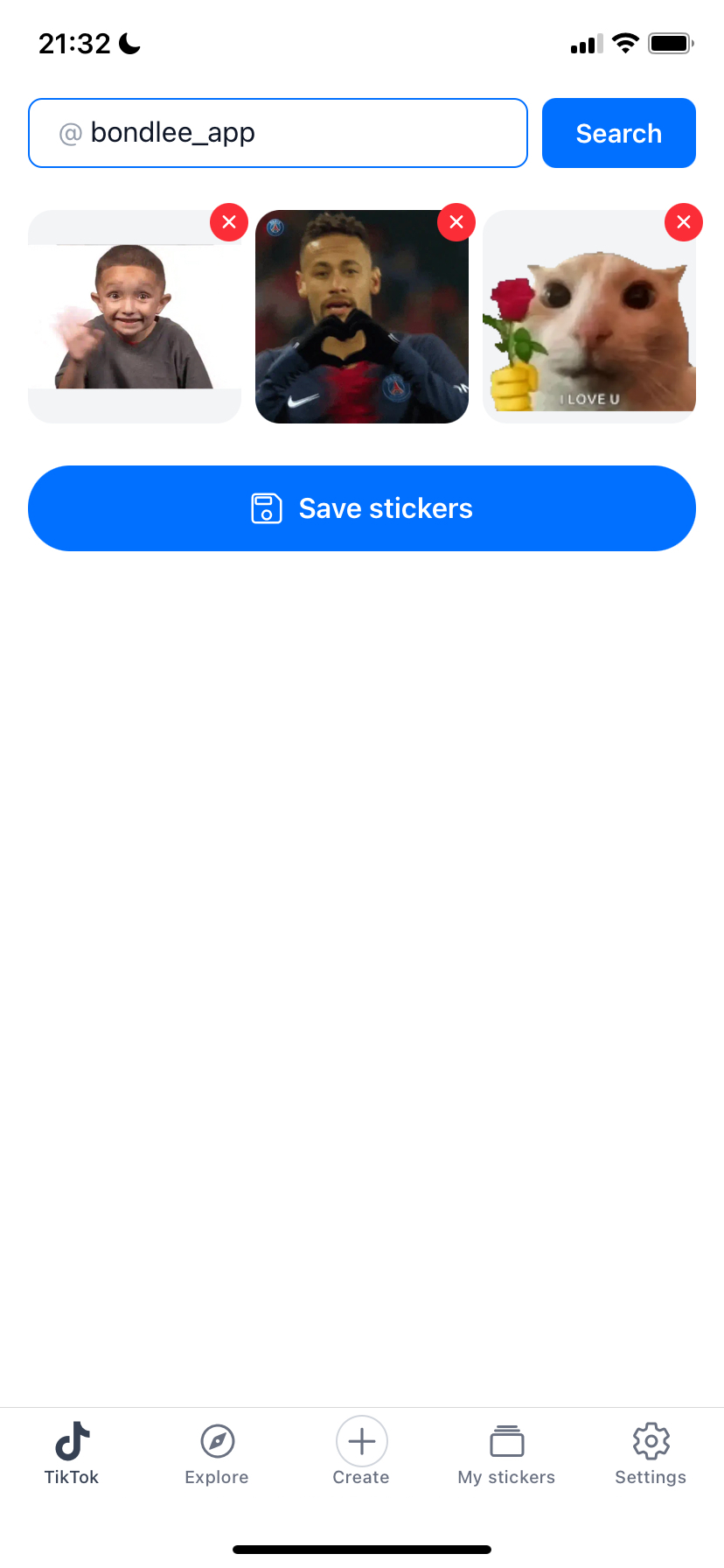
Open the TikTok tab in the StickerGrab app. Enter the TikTok name that sent the stickers.


- 3
Check the collected stickers
StickerGrab can need a few minutes to collect the stickers. Check the results when the search ends.
Select a sticker to view it. Remove stickers that you do not want in the pack.
- 4
Save the sticker pack
Select “Save stickers.” StickerGrab adds the new pack to “My stickers.”
- 5
Add the pack to WhatsApp
Open the saved pack. Select “Export,” then select “WhatsApp.”
WhatsApp opens the pack preview. Confirm the action to add the pack.
Common problems
StickerGrab found no stickers
Send the stickers to @StickerGrab first. Then search with the same TikTok account name.
I can send only one sticker
TikTok can limit a new chat to one sticker. Wait until @StickerGrab accepts your message request, then send the other stickers.
The search takes a long time
Collection can take a few minutes. Keep StickerGrab open until the search ends.
WhatsApp does not show the pack
Update StickerGrab and WhatsApp. Then open the saved pack and export it again.
Ready to get your TikTok stickers?
Use StickerGrab to collect your stickers and prepare the WhatsApp pack.